

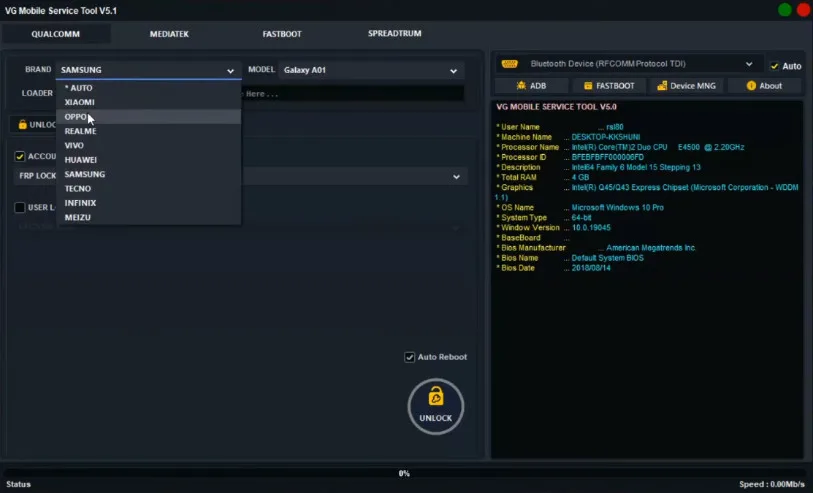
The VG Tool v5.1 is a software used for servicing and unlocking various smartphones, including brands like Xiaomi, Samsung, Vivo, Huawei, and Tecno. It is primarily aimed at mobile repair technicians.
Key Features of VG Tool v5.1:
-
FRP Bypass: It can bypass the Factory Reset Protection (FRP) lock on various Android devices.
-
Factory Reset/Format Data: The tool offers one-click options for factory resetting devices and formatting data for different Android versions, including Android 15.
-
Account Removal: It is capable of removing Xiaomi Mi Cloud accounts and addressing new security measures for Qualcomm, MTK, and SPD devices.
-
Unlocking: It supports unlocking Qualcomm devices in 9008 EDL (Emergency Download) mode.
-
Authentication Bypass: The tool includes features to bypass MediaTek (MTK) and Samsung authentication (Auth) processes.
-
Enable ADB Security: It can enable ADB (Android Debug Bridge) security features.
The software is available for free download (often with a keygen for activation) from various third-party mobile servicing and support websites. Tutorials for its use are also widely available online on platforms like YouTube and Telegram channels catering to GSM (Global System for Mobile Communications) enthusiasts and professionals.
File Name: VG Tool v5.1
Size: 544 MB
Version: v5.1
What is VG Tool?
VG Tool is a computer software that comes with a very lightweight and simple interface. Any new user can easily understand it. With its help, you can easily remove the pattern lock, bypass FRP, and flash your mobile phone. This tool is free and can be downloaded and used here. It also easily fixes IMEI or network-related issues.
Main Features
- Capable of performing FRP Bypass (Factory Reset Protection).
- Firmware Flashing: Flashes the phone using the stock ROM.
- Pattern/PIN/Password Unlock: Removes the lock from the bootloader or recovery.
- IMEI Repair / NV Restore — Sometimes network issues occur, so this is used to resolve them.
- Backup & Restore — You can backup and restore your locked phone from here.
Compatibility and Requirements
- Windows PC (Windows 7/8/10/11 recommended).
- The phone brand’s official/compatible drivers must be installed.
- Original USB data transfer-capable cable.
- The phone must have at least 40–50% battery for flashing/operations.
Why is VG Tool v5.1 better?
VG Tool is better because it’s completely free. And its latest version, v5.1, supports most new devices. It can be used by everyone from mobile repair center workers to the average person. It’s very lightweight and installs without hassle. Installing a USB driver is essential. This tool will only be able to connect to any device once you have a USB driver, so keep this in mind.